For years, the geospatial industry treated LiDAR like an exclusive club. If you didn’t have a $50,000 laser scanner and a dedicated field crew, you weren’t playing in the 3D game. Point clouds were treated as mysterious artifacts that could only be collected, never created.
That reality has officially shifted.
Today, the barrier to high-fidelity 3D mapping isn’t hardware—it’s workflow intelligence. At Golden Integration, we’ve helped dozens of surveyors, engineers, and project managers transition from heavy, hardware-dependent setups to lean, software-driven pipelines. The result? Faster deliverables, lower overhead, and survey-grade accuracy without the premium price tag.
Here are 5 truths reshaping modern LiDAR processing—and why your next point cloud might not require a laser at all.
🔹 1. You Can Generate “LiDAR-Grade” Point Clouds Without a Laser
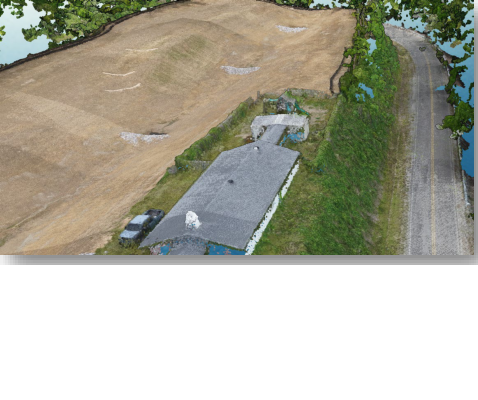
The biggest disruptor in modern mapping isn’t a new sensor—it’s Structure from Motion (SfM). Using photogrammetric workflows like Pixels to Points, overlapping UAV imagery can be transformed into high-density point clouds that rival traditional LiDAR for most topographic, volumetric, and as-built applications.
The catch? Raw photogrammetry is notoriously resource-heavy. Processing thousands of 20MP drone images at full resolution will crash most workstations before the first iteration completes.
The fix: Smart preprocessing. Reducing image resolution before processing bypasses memory bottlenecks and accelerates reconstruction without sacrificing the geographic precision of the final orthomosaic. Pair this with color harmonization to correct lighting disparities across flight lines, and you’ll get a cohesive, geographically accurate 3D mesh instead of a patchwork quilt.
💡 Pro Tip: Every pixel in your final output remains georeferenced. Optimize for processing speed first, then scale resolution only where project tolerances demand it.
🔹 2. More Data Isn’t Always Better (The Art of Intelligent Thinning)
It’s tempting to celebrate a photogrammetric cloud with 350 points per square meter. In practice, that density is often a liability.
Over-dense point clouds bloat file sizes, slow down sharing and rendering, and can actually degrade derivative products by amplifying noise in surface models. The mark of a mature geospatial workflow isn’t collecting everything—it’s keeping what matters.
Smart thinning decimates points in flat, low-relief areas while preserving high-density clusters along slopes, building edges, and vegetation. The result?
Raw density: ~350 pts/m² (5 cm spacing)
Optimized density: ~20 pts/m² (retains critical features, slashes file size by ~90%)
💡 Why it matters: Lean point clouds produce cleaner DTMs, faster load times in GIS/BIM environments, and fewer processing errors downstream.
🔹 3. Your Point Cloud Is Probably Lying to You (The Non-Negotiable Role of QC)
Even the most expensive drone payload needs a reality check. High-end GPS doesn’t guarantee accuracy—LiDAR Quality Control does.
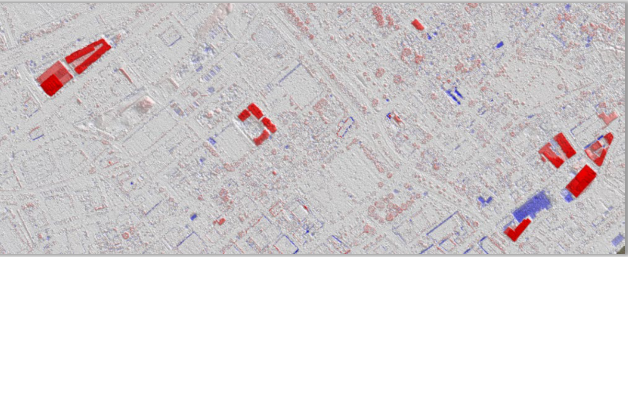
Many teams only check vertical offset (ELEV_DIFF), but expert QC requires evaluating horizontal alignment as well. In a 2D plan view, you’ll often notice targets in your colorized cloud that don’t match surveyed Ground Control Points (GCPs).
The correction workflow:
Tag physical target centers directly in the point cloud
Calculate horizontal shift using control point residuals
Apply a Fixed XYZ Shift to align the cloud to known truth
Unlike rubber-sheeting or spline-fitting, a fixed block adjustment shifts the entire dataset uniformly—preserving internal geometry while correcting systematic drift.
💡 QC Rule of Thumb: A negative ELEV_DIFF means your cloud sits below surveyed truth and needs upward adjustment. Always validate both axes before delivering.
🔹 4. LiDAR Is “Color Blind” by Default—But You Can Fix It
Raw LiDAR is just XYZ coordinates and intensity returns. To stakeholders, it looks like a nebulous gray cloud. To technicians, it’s a missed opportunity for validation.
By extracting RGB values from underlying drone imagery and mapping them to point coordinates, you create a photorealistic 3D environment. This isn’t just for client presentations—it’s a critical alignment check.
If the green canopy dots don’t visually snap to the underlying imagery, your georeferencing is off. Colorization delivers the psychological “aha!” moment for clients while serving as a final sanity check for your team.
💡 Workflow Note: Always run colorization after QC and shifting. Applying RGB to a misaligned cloud locks in visual errors that are harder to troubleshoot later.
🔹 5. LiDAR Is a Data Architecture, Not Just a Scan
One of the most powerful shifts in geospatial tech is recognizing that LiDAR isn’t a hardware output—it’s a spatial data structure.
You can build a professional-grade point cloud from any array of X, Y, Z values by importing comma-delimited ASCII text files. Once those coordinates are recognized as a point cloud, you can apply standard geospatial constraints, classify surfaces, calculate volumes, and generate contour lines.
Pro workflow tip: Use a Legacy Concave Hull or Coverage Polygon to bound your dataset to the exact footprint of your points. This prevents edge artifacts during DTM generation and ensures precise volume calculations or digital twin boundaries.
💡 Bottom Line: When you treat coordinates as architecture, you unlock survey-grade outputs from simple text files, legacy surveys, or third-party datasets—no laser required.
🚀 The Future of the Point Cloud Is Software-Driven
LiDAR processing has moved beyond hardware collection into intelligent synthesis. We’re no longer limited by what a scanner can capture in a single pass—we’re empowered by how we optimize, validate, and structure spatial data.
The gap between a standard drone flight and a survey-grade 3D model has officially dissolved. If you can capture a site with a handheld UAV and a few GCPs, you already have everything you need to build your first digital twin.
🔗 Ready to Build Smarter 3D Workflows?
At Golden Integration, we help geospatial teams transition from hardware-heavy setups to optimized, software-driven pipelines. Whether you need workflow automation, LiDAR/photogrammetry QC training, or end-to-end project support, our specialists are ready to help you deliver faster, leaner, and more accurate spatial data.
📩 [Contact Our Geospatial Team] | 📅 [Book a Workflow Consultation] | 📖 [Explore Our Case Studies]🛠️ Web Implementation Notes for Your CMS Team:
Internal Linking: Link “Pixels to Points,” “DTM generation,” “Ground Control Points,” and “digital twin” to relevant service pages or knowledge base articles.
Schema Markup: Add Article and FAQPage schema if you convert the 5 truths into an accordion or FAQ format for better SERP visibility.
Images/Visuals:
Add a before/after thinning graphic (350 vs 20 pts/m²)
Include a labeled screenshot of horizontal QC alignment
Embed a short GIF showing RGB colorization snapping to imagery
Readability: Paragraphs are kept under 4 lines. Bullet points and callout boxes improve mobile scanning.
Tone Alignment: Technical but accessible. Positions Golden Integration as a workflow optimizer, not just a software reseller.
No responses yet